Two Popular Apps for the Same Job
If you have searched the App Store for a GPS land measurement tool, two names show up consistently: LandLens and GLand (also known as GPS Land Measurement or GPS Fields Area Measure). Both apps let you trace property boundaries, measure field areas, calculate distances, and save your work. Both use your phone's GPS receiver to capture coordinates and convert them into meaningful measurements.
So which one should you actually download? The answer depends on what you need. GLand has been around for years, has a large user base, and runs on both iOS and Android. LandLens is a newer entrant, available on iPhone and Android, with a strong emphasis on export flexibility, data organization, and interface design. This article walks through both apps feature by feature, with an honest look at where each one excels and where each one falls short. No manufactured winner here. Just the facts so you can pick the tool that fits your workflow.
Feature-by-Feature Comparison
Area Measurement
Both LandLens and GLand handle GPS polygon measurement, the core task of tracing a boundary and calculating the enclosed area. Both support manual pin placement and GPS walk tracking, where the app records your position as you move along the perimeter.
LandLens adds some refinements: you can drag individual points to adjust them after placement, undo the last point without starting over, and edit saved polygons later. The real-time area readout updates as you draw. Both apps deliver reliable area calculations for the same polygon since the underlying math is identical. The difference is in how smoothly each handles the drawing and editing workflow.
Distance Measurement
Whether you need to know the length of a fence line, road frontage, or property boundary segment, both apps handle it. GLand and LandLens both let you place two or more points and calculate the total length, displaying per-segment and cumulative distances.
LandLens adds the ability to adjust individual points after placement with real-time measurement updates, plus saved distances can be organized into folders and exported in multiple formats. Both apps perform well here. The differences are in the post-measurement workflow rather than the measurement itself.
Export Formats
This is where the two apps diverge significantly, and it matters a great deal if you work with other software, collaborate with teams, or need to submit data to agencies.
LandLens supports five geospatial export formats plus PDF reports: KML, KMZ, Shapefile (.shp/.shx/.dbf/.prj bundle), GeoJSON, and PDF. This means you can export your surveys directly into Google Earth, QGIS, ArcGIS, Mapbox, web mapping platforms, and just about any GIS software on the market. The Shapefile export is particularly notable because many government land offices, agricultural agencies, and GIS departments specifically require Shapefile format. The PDF export generates a formatted report with a map snapshot, measurements, and coordinates that you can hand to a client who has never heard of KML.
According to its App Store listing (checked September 2026), GLand exports PDF, Excel, KML and GeoJSON, and can share map images. That covers Google Earth and most web mapping tools. It does not list Shapefile export, so if you need to deliver Shapefiles to a surveyor or GIS team, LandLens covers that directly.
Import Support
LandLens Pro supports importing KML, GPX and GeoJSON files. You can open a KML from email, Files, or AirDrop, and LandLens reads polygons, lines, and points into your saved measurements. GPX tracks from handheld GPS devices can be imported and converted into areas or distance lines.
GLand has more limited import capabilities. Some versions support basic KML import, but the feature set is not as comprehensive. If importing external data is a regular part of your workflow, LandLens offers the smoother experience.
Organization and Folders
Once you have dozens or hundreds of saved measurements, organization becomes critical. Without it, you spend more time searching for old measurements than creating new ones.
LandLens provides a color-coded folder system. You can create folders with custom names and colors, nest measurements inside them, and batch-export entire folders at once. If you manage multiple properties, work across different client projects, or survey multiple parcels in a day, folders keep everything separated and findable. The color coding adds a visual layer that makes scanning a long list faster.
GLand uses a simpler list-based approach. Saved measurements appear in a chronological list, and you can rename individual items. This works fine when you have a small number of measurements, but it can become unwieldy once your collection grows into the dozens. If you are a casual user measuring your own yard or a single field, the simple list is fine. If you are a professional juggling multiple projects, the folder system in LandLens starts to pay off quickly.
Measurement Units
Different regions and industries use different measurement units. A farmer in the United States thinks in acres, a farmer in India thinks in bigha or hectares, and a European planner thinks in square meters or hectares.
LandLens supports over 20 measurement units for area, including acres, hectares, square meters, square feet, square kilometers, square miles, square yards, rai (Thailand), bigha (South Asia), marla, kanal, guntha, cent (India), and several others. Distance units include meters, feet, kilometers, miles, and yards. This extensive list means the app works naturally for users around the world without requiring manual conversions.
GLand supports the standard international units: acres, hectares, square meters, square feet, square kilometers, and square miles. These cover the most common needs, but if you work in a region where local units like rai, bigha, or marla are standard, you would need to convert manually from the available units. For many users in North America, Europe, and parts of Africa, GLand's unit selection is perfectly adequate. For users in South Asia, Southeast Asia, and other regions with specialized local units, LandLens has the edge.
Offline Capability
Both LandLens and GLand work offline for GPS measurement, because the GPS receiver operates independently of your cellular connection. You can place points, trace boundaries, and calculate areas without internet. The limitation for both apps is map tiles: satellite imagery requires an internet connection to download initially, but once cached from previous viewing, tiles remain available offline.
In practice, both handle the offline scenario similarly. Zoom into your target area while you have connectivity so tiles cache locally, then measure freely in the field. GPS accuracy is not affected by cellular connectivity, so measurements are just as precise offline.
Map Types
Both apps offer multiple map views. LandLens provides satellite imagery, standard road maps, terrain views, and hybrid views (satellite with road labels). GLand offers a similar selection with satellite, standard, terrain, and hybrid options. In this category, the two apps are essentially equal. Both use well-established map tile providers, and the visual quality of the maps is comparable.
User Interface and Experience
LandLens uses a modern SwiftUI-based interface with clean visual hierarchy, smooth animations, and consistent design language. GLand has a functional interface that prioritizes simplicity. The learning curve is shallow, the design is utilitarian, and GLand's years on the market mean the workflow has been refined through many iterations of user feedback.
Both apps are intuitive enough that you can start measuring without reading a manual. The choice comes down to personal preference: visual polish and modern design conventions, or a no-frills tool that gets out of your way.
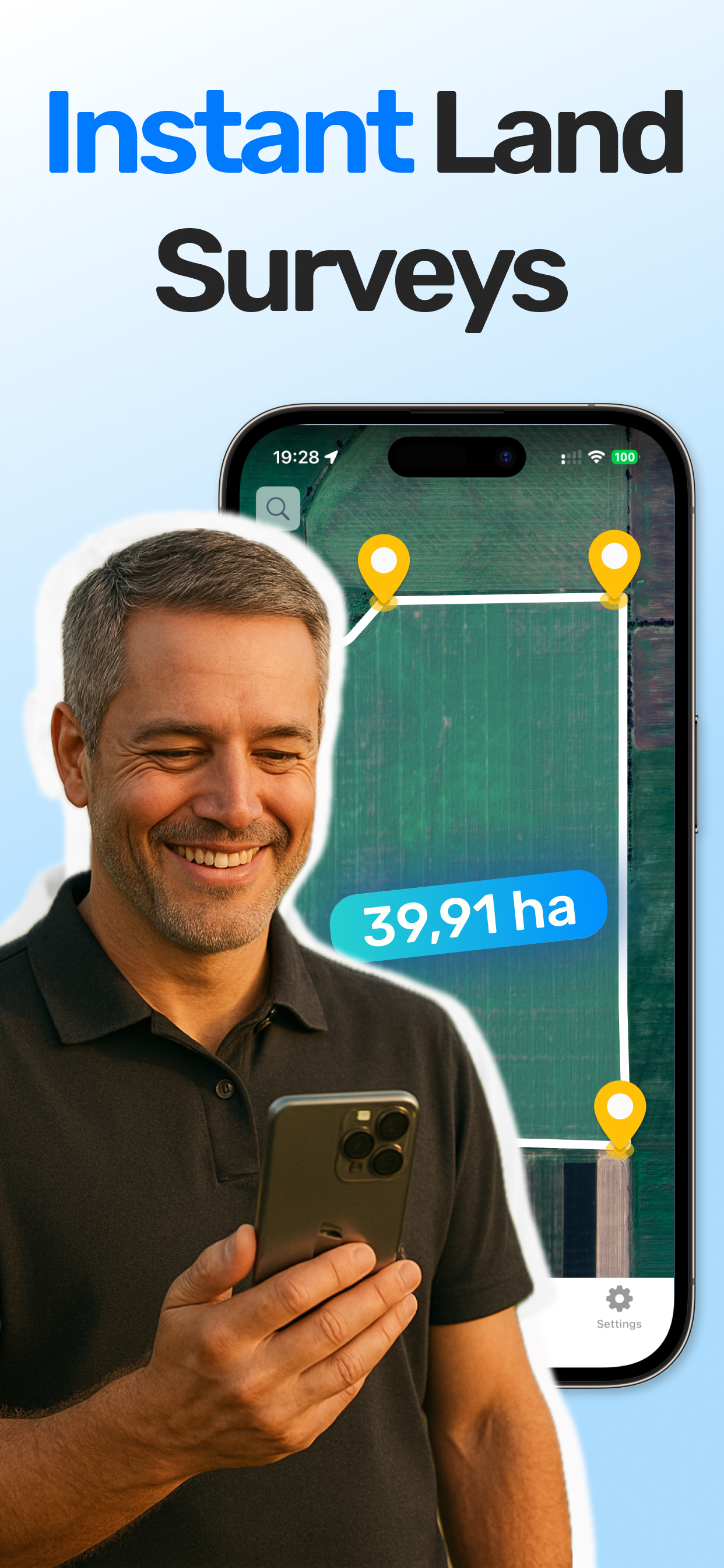
LandLens interface with instant surveys
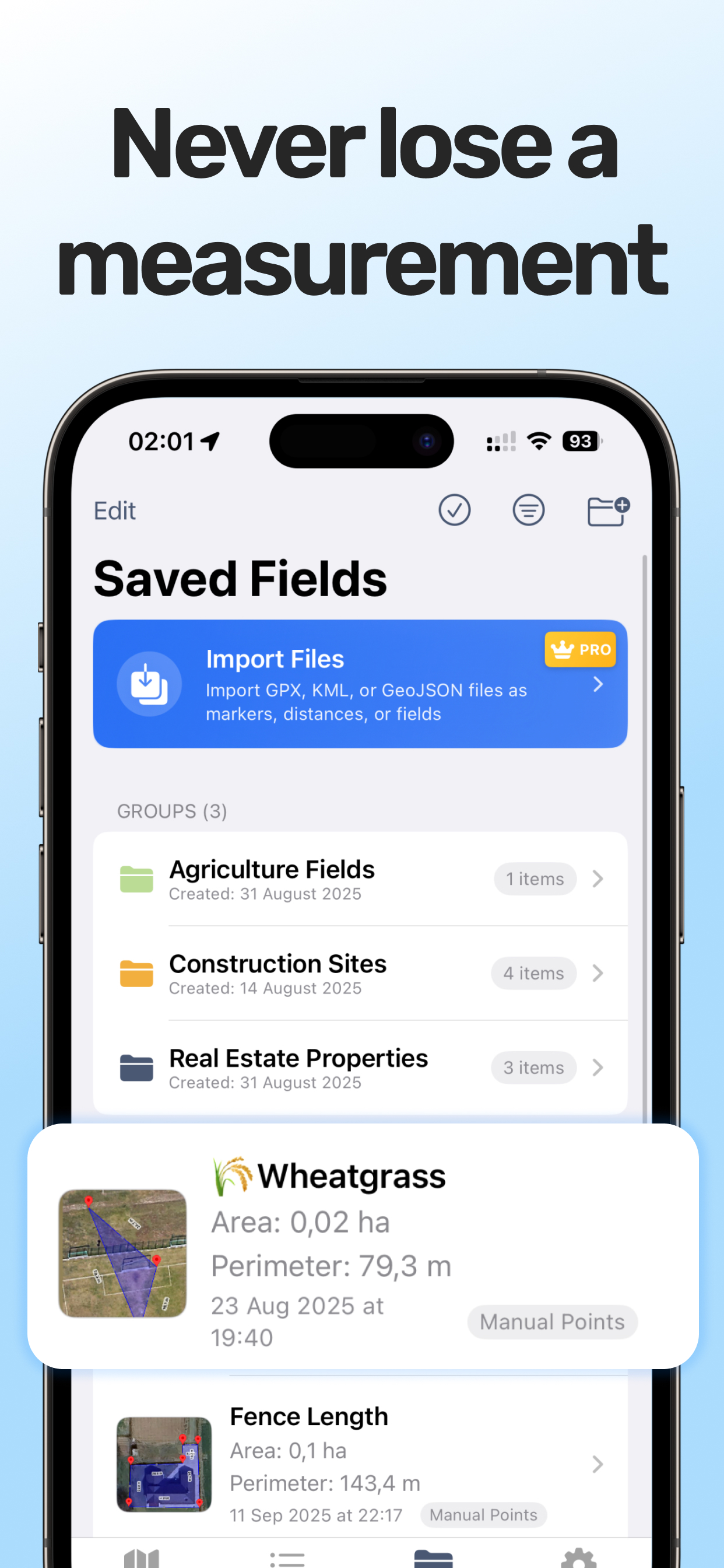
Color-coded folder organization
Pricing Comparison
Both apps follow a freemium model with a free tier and a paid upgrade. The specifics differ slightly, and pricing may change, so check each app's listing for current numbers.
💡 Quick Recommendation
Choose LandLens if: You need professional export formats (Shapefile, GeoJSON), organize lots of measurements, or want the cleanest interface on iPhone or Android.
Choose GLand if: You want lots of extra field utilities (compass, UTM/MGRS coordinates, WMS map layers) in one well-established app.
| Feature | LandLens Free | LandLens Pro | GLand Free | GLand Premium |
|---|---|---|---|---|
| Area measurement | Yes (limited saves) | Unlimited | Yes (with ads) | Unlimited |
| Distance measurement | Yes (limited saves) | Unlimited | Yes (with ads) | Unlimited |
| Marker placement | Yes (limited saves) | Unlimited | Yes | Yes |
| Export formats | Limited | KML, KMZ, SHP, GeoJSON, PDF | KML, Excel (limited) | PDF, Excel, KML, GeoJSON |
| Folder organization | Basic | Full color-coded folders | Multiple projects | Multiple projects |
| Ads | No | No | Yes | No |
| Import (KML, GPX) | No | Full | Limited | Basic KML |
| Price | Free | Subscription | Free | Subscription |
Both apps are free to download and try. For casual one-time use, either free tier will get the job done. For regular professional use, both require a paid subscription to unlock full functionality. One noteworthy difference: LandLens free tier does not show ads, while GLand's free version is ad-supported. If ads in a field app bother you, that is worth considering.
Platform Availability
Both apps now run on iOS and Android. GLand has been cross-platform for years; LandLens is on Google Play as well as the App Store.
LandLens needs iOS 15 or later on iPhone and iPad; GLand also needs iOS 15 or later. On Android, both are available from Google Play. If your team uses a mix of iPhones and Android phones, either app lets everyone use the same tool.
In practice, platform is no longer the deciding factor between these two apps. Export formats, organization and interface are.
Who Should Choose LandLens
LandLens is the stronger choice if several of the following apply to you:
- You need diverse export formats. If your workflow requires Shapefiles for a GIS team, GeoJSON for a web platform, KML for Google Earth, and PDF reports for clients, LandLens is the only option that covers all of them from a single app.
- You manage multiple projects or properties. The color-coded folder system in LandLens makes it practical to organize dozens or hundreds of measurements across different clients, farms, or properties without losing track of anything.
- You work in a region with specialized measurement units. If your clients or agencies expect measurements in bigha, rai, marla, kanal, guntha, cent, or other regional units, LandLens supports them natively.
- You import data from other sources. If colleagues send you KML files from Google Earth or you pull GPX tracks from handheld GPS devices, LandLens import support keeps your workflow smooth.
- You deliver professional reports. The PDF export with map snapshots and formatted measurements creates client-ready documents without any extra software.
- You want a clean, focused measuring app. On iPhone, iPad or Android, LandLens gives you a polished, purpose-built experience without extra utilities crowding the screen.
Who Should Choose GLand
GLand is the stronger choice if several of the following apply to you:
- You want extra field utilities. GLand bundles a compass, UTM/MGRS coordinate conversion, weather, elevation and custom WMS/XYZ map layers alongside measurement.
- You prefer a long-established app. GLand has been on the market for years and has a large existing user base.
- You want the simplest possible tool. If you need to measure a field area or a distance and nothing else, GLand's straightforward interface gets you in and out quickly. Less features can mean less complexity.
- You are already invested in the GLand ecosystem. If you have years of saved measurements in GLand, workflows built around its export formats, and team familiarity with its interface, switching to a different app has a real cost. The grass is not always greener.
- You have a large established user base. GLand's years on the market mean extensive documentation, community support, tutorials, and a proven track record. If stability and community size matter to you, GLand has the longer resume.
- KML and CSV exports meet your needs. If Google Earth is your primary data destination and you do not need Shapefiles, GeoJSON, or formatted PDF reports, GLand's export options are sufficient.
The Verdict
There is no universal winner here, and any review that declares one app objectively better than the other is oversimplifying. Both LandLens and GLand are competent GPS land measurement tools that handle the fundamentals well: measure land area, calculate distances, save and share your work.
If you want many extra field utilities in one app, GLand is a good fit. If you value a large established community and years of proven reliability, GLand is a safe choice.
If you need professional-grade export options, organized project management with folders, a wide range of measurement units, and import capabilities for KML, GPX and GeoJSON data, LandLens is purpose-built for that workflow.
The best advice is to try both. Both apps are free to download, so test each one on your own land with your own workflow. A 10-minute test in the field will tell you more than any comparison article, including this one.
Related tools & guides
Try LandLens free
Measure any land area, distance, or perimeter with your iPhone, iPad or Android phone. No equipment needed.
Share Your Feedback
Help us build a better LandLens. Request features, report bugs, or tell us what you think.