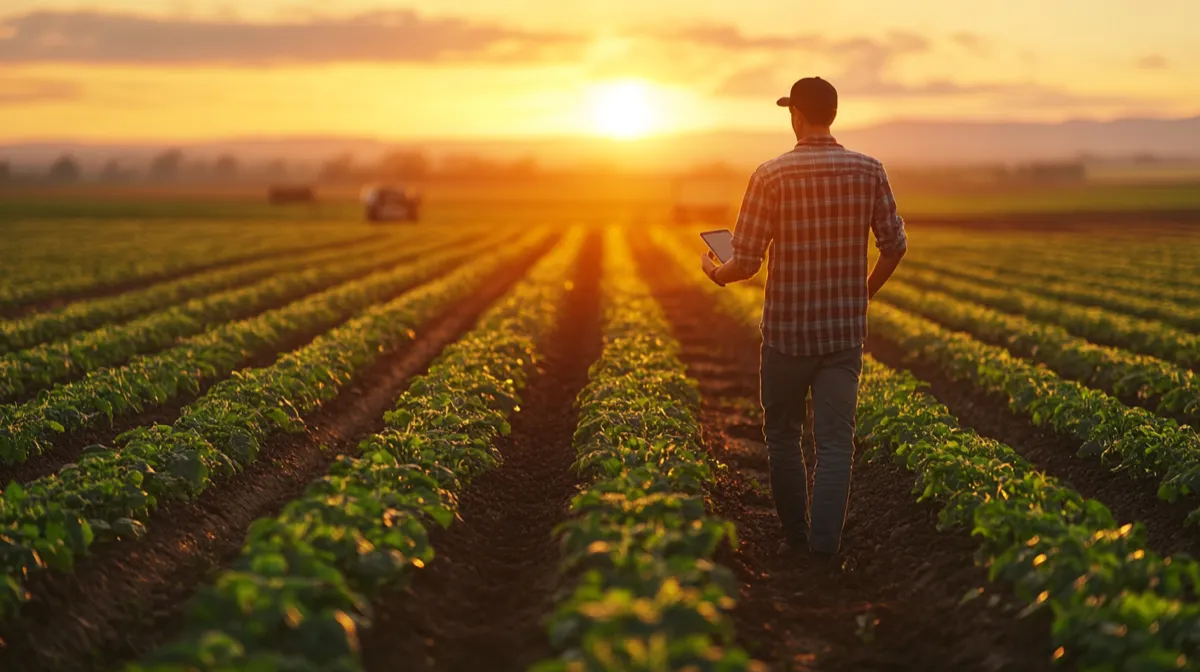
Why Phone GPS Has Gotten Good Enough for Land Measurement
Five years ago, measuring land with a phone was a rough estimate at best. The single-frequency GPS chips in older smartphones were accurate to maybe 5-10 meters under ideal conditions, and much worse near trees or buildings. That has changed significantly, and 2026 is a different landscape entirely.
Modern iPhones (starting with the iPhone 14 and continuing through the current lineup) include dual-frequency GPS receivers that pick up both the legacy L1 band and the newer L5 band. The L5 signal is transmitted at a higher power and wider bandwidth, which means it handles multipath interference (signal bouncing off buildings and terrain) far better than L1 alone. The practical result: phones now routinely achieve 1-2 meter accuracy in open areas, and 2-4 meters even in moderately challenging environments.
Beyond dual-frequency support, today's phones use multi-constellation GNSS. That means your device is not just listening to American GPS satellites. It simultaneously tracks signals from Europe's Galileo, Russia's GLONASS, China's BeiDou, and Japan's QZSS systems. More satellites in view means better geometry, faster position locks, and more stable readings. On a typical day in most locations, your phone can see 20-30 satellites simultaneously, compared to the 6-8 that older single-constellation receivers might manage.
Apple has also improved the sensor fusion algorithms that combine raw GNSS data with barometric pressure, accelerometer, gyroscope, and Wi-Fi positioning. The result is a position fix that is not only more accurate but more consistent. You get fewer of those random 5-meter jumps that used to plague phone-based measurement.
Is this survey-grade? No. But for the vast majority of practical land measurement tasks, phone GPS in 2026 is genuinely useful, not just a novelty.
Phone GPS vs Dedicated GPS Devices vs Professional Survey Equipment
Understanding the accuracy tiers helps you pick the right tool for your situation. Here is how the three main options compare.
Phone GPS (1-3 meter accuracy). Cost: free to low (just the app). Modern dual-frequency phones achieve 1-3 meter accuracy in open sky conditions. This translates to roughly 2-5% area error on a 1-acre parcel, decreasing proportionally on larger parcels because boundary errors average out over longer perimeters. Best for: farming estimates, landscaping calculations, property verification, personal records, and any situation where a few percent margin is acceptable.
Dedicated handheld GPS devices (0.5-1 meter accuracy). Cost: $200-$800. Devices like the Garmin GPSMAP series or Trimble handhelds use better antennas and can apply SBAS (satellite-based augmentation) corrections to achieve sub-meter accuracy. They are more rugged and have longer battery life in the field. Best for: professional agriculture, forestry, environmental surveys, and situations where you need consistent sub-meter performance in difficult terrain.
Professional survey equipment with RTK (1-2 centimeter accuracy). Cost: $5,000-$30,000+ for equipment, or $500-$5,000+ to hire a licensed surveyor. Real-Time Kinematic (RTK) GPS uses a base station and rover combination with carrier-phase measurements to achieve centimeter-level precision. Best for: legal boundary surveys, construction layout, engineering projects, and anything that needs to hold up in court or meet government filing requirements.
The key insight: for most people reading this article, phone GPS covers 80-90% of real-world land measurement needs. The cost-to-accuracy ratio is unbeatable. You already own the phone.
How to Measure a Field Using LandLens
Here is the full process from opening the app to having a saved measurement. The whole thing typically takes 2-10 minutes depending on the size and complexity of the area.
Watch a complete demonstration of measuring land area with your phone
Step 1: Prepare Your Phone
Before heading to the field, make sure Location Services are enabled for LandLens (Settings > Privacy & Security > Location Services). Set it to "While Using the App" with Precise Location toggled on. If you are measuring a remote area, download the satellite imagery for that region while you still have good internet access. This ensures you have clear aerial photos to reference even if cell service is spotty on-site.
Step 2: Open the App and Orient Yourself
Launch LandLens and let the map center on your current location. Give the GPS 30-60 seconds to establish a solid satellite lock, especially if you just arrived at the location or were recently indoors. You will notice the position stabilizes after this brief warm-up period. Switch to satellite view so you can see the actual terrain, field boundaries, and structures.
Step 3: Choose Your Measurement Method
Tap the draw button on the map screen. You now have two approaches:
- Manual pin placement: Zoom into the satellite imagery and tap to place pins at each corner or inflection point of the boundary. This works best for smaller areas (under 2 acres) or any area where you can clearly see the boundary edges in the aerial photo. It is also the method to use when you cannot physically walk the perimeter.
- GPS walk mode: Walk the boundary of the field while the app records your path. This is more natural for large or irregular areas, and it captures curves and irregular edges automatically. Walk at a steady, moderate pace along the field edge.
Step 4: Trace the Boundary
If placing pins manually, work your way around the perimeter, tapping at each corner or curve point. More pins on curves means a more accurate representation of the actual shape. For straight edges, two pins (one at each end) are sufficient. The app draws lines between your points in real time so you can see the shape forming.
If using GPS walk mode, start at a recognizable corner and walk steadily along the boundary. Keep a consistent pace. LandLens drops GPS points as you walk, building the polygon progressively. Try to stay on the actual boundary line rather than cutting corners.
Step 5: Close and Review
When you have completed the circuit (or placed all your corners), tap to finish. The app closes the polygon and instantly calculates the area and perimeter. You will see the result displayed in your preferred land measurement units — acres, hectares, square meters, square feet, or any of the dozens of other supported units.
Step 6: Save and Organize
Give the measurement a descriptive name (e.g., "North wheat field" or "Backyard renovation area") and save it. You can organize measurements into color-coded folders for different projects or properties. Every saved measurement can be reopened later to view on the map, edit the boundary, or export your surveys in formats like KML, Shapefile, GeoJSON, or PDF.
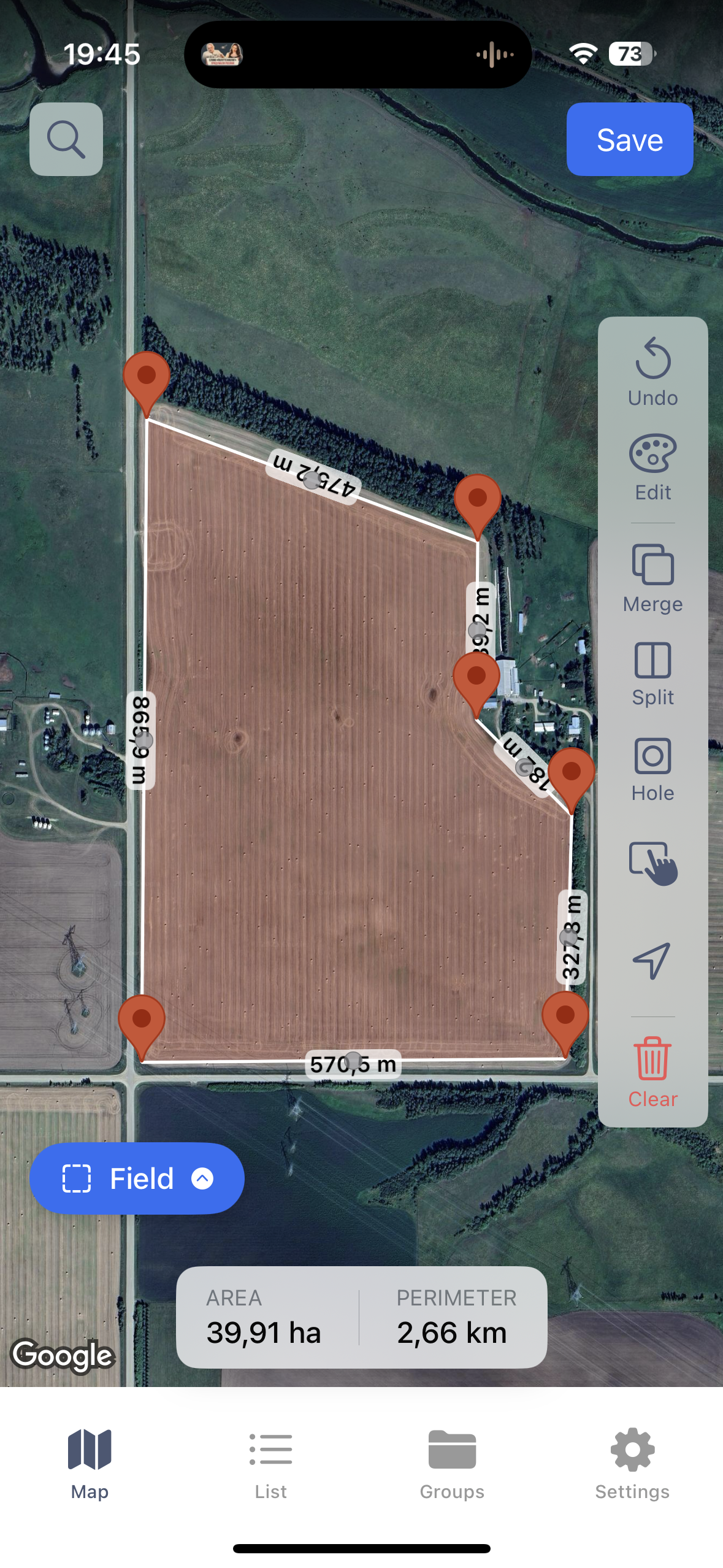
Measuring field area using satellite view
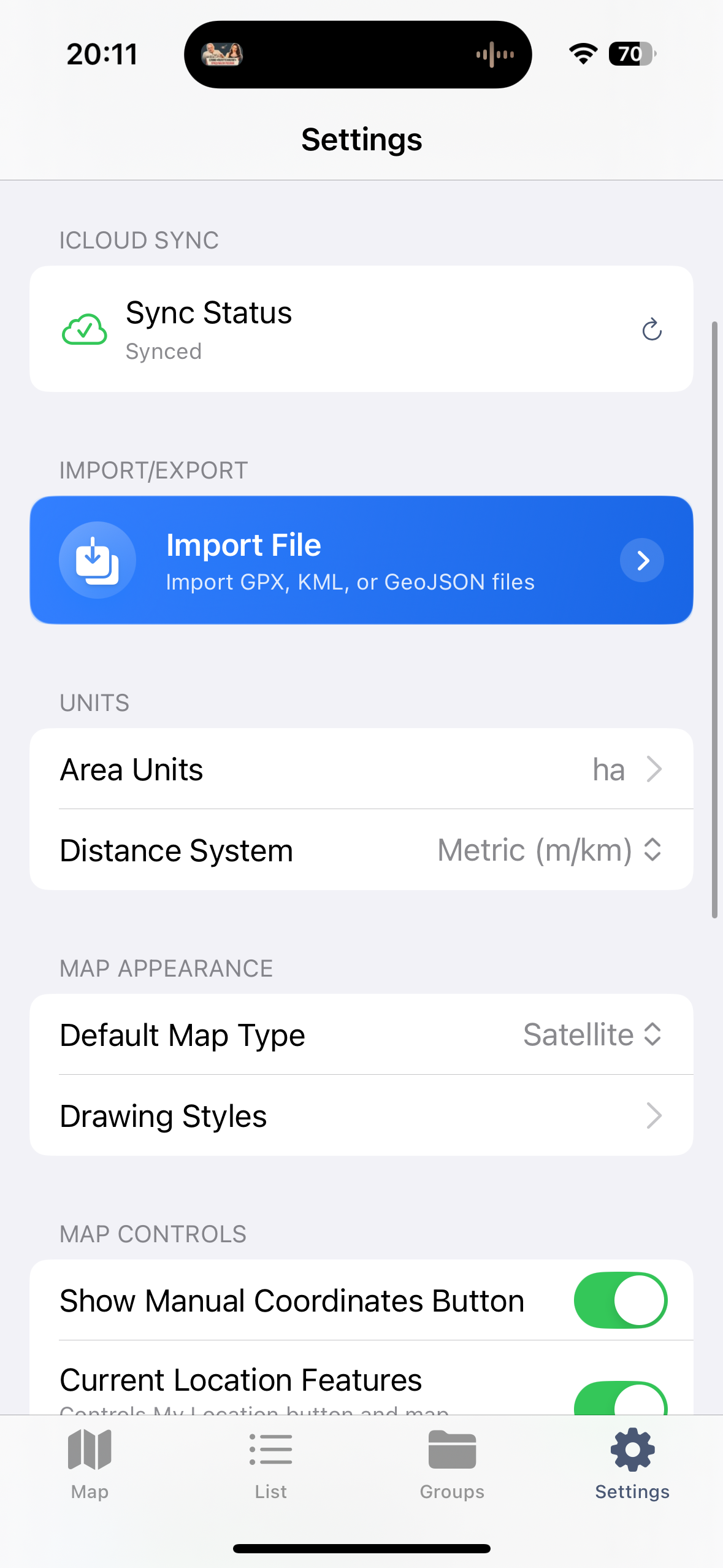
Organizing measurements in folders
Using Satellite Imagery for Precision
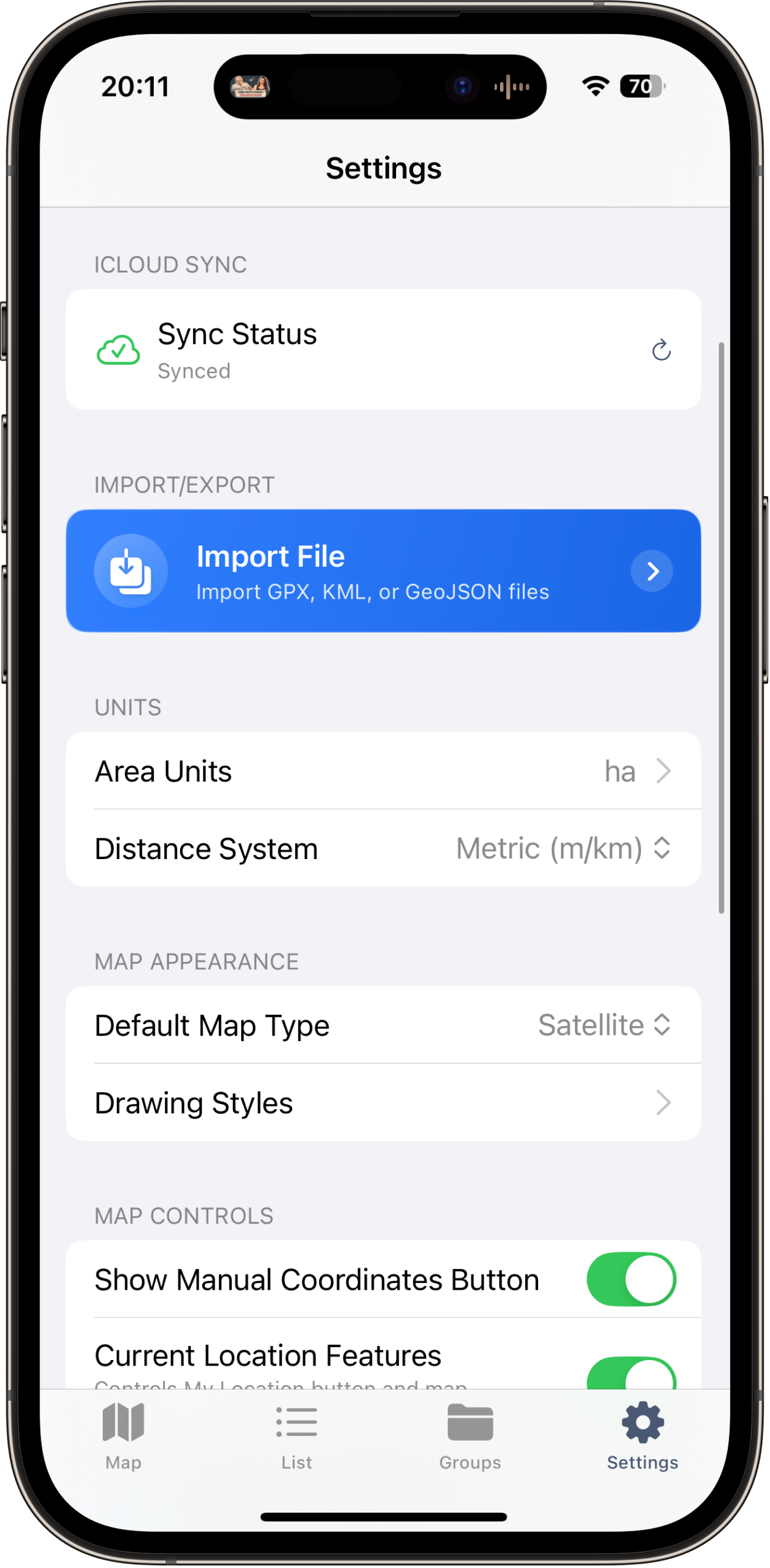
Using satellite imagery to pinpoint exact boundary locations
One of the most effective techniques for accurate phone-based land measurement is combining GPS positioning with manual pin placement on satellite imagery. This hybrid approach compensates for the limitations of each method.
Pure GPS walking is limited by the receiver's accuracy. Even at 1-2 meters, if you are measuring a small area, those errors represent a meaningful percentage. Pure satellite imagery pin placement depends on the resolution and age of the aerial photos, and on your ability to identify exact boundary points from above.
The hybrid method works like this: use GPS to get yourself oriented and locate the general area on the map. Then switch to satellite view, zoom in, and place your boundary pins by tapping directly on visible features — fence lines, hedge rows, road edges, mowing lines, color changes in vegetation, or other markers that define the actual boundary. High-resolution satellite imagery lets you place pins with a precision that often exceeds what live GPS tracking can achieve, especially near structures or vegetation.
This technique is particularly valuable for property boundaries that follow visible features. If you can see the fence in the aerial photo, tapping on the fence posts gives you a more precise boundary than walking alongside the fence with GPS, where your body is offset from the actual line and GPS wander adds further error.
One caveat: satellite imagery is not always current. Construction, new fences, cleared trees, or changed field boundaries may not appear in the photos. Always verify that the imagery matches the current ground truth before relying on it for pin placement.
Tips for Better GPS Accuracy
GPS accuracy is not a fixed number. It fluctuates based on a range of factors that you can partially control. Here are specific, actionable things you can do to get the best possible measurements.
- Measure under open sky. This is the single biggest factor. Every object between your phone and the sky reduces accuracy. Trees, buildings, canyon walls, and even your own body can block or reflect satellite signals. For the best results, measure when you have a clear, unobstructed view of the sky in all directions. If part of your boundary runs next to a building or under tree canopy, consider placing those pins manually on satellite imagery instead of relying on live GPS at those points.
- Understand multipath errors. Multipath occurs when GPS signals bounce off surfaces (buildings, metal roofs, vehicles, wet ground) before reaching your phone. The reflected signal travels a longer path, causing the receiver to miscalculate distance to the satellite. Dual-frequency L5 signals are more resistant to multipath, but it still happens. Stay away from large reflective surfaces when recording GPS points. Even moving 2-3 meters away from a metal building can noticeably improve accuracy.
- Check satellite geometry (PDOP). Position Dilution of Precision (PDOP) describes how satellite positions in the sky affect accuracy. When satellites are spread across the sky, geometry is good (low PDOP) and accuracy is high. When satellites cluster in one part of the sky, PDOP is high and accuracy suffers. You cannot control satellite positions, but you can time your measurements. Early morning and late afternoon sometimes have different satellite constellations than midday. If accuracy matters, measure the same area at two different times and compare results.
- Wait for a solid fix before measuring. When you first launch the app or arrive at a new location, give the GPS at least 30-60 seconds to stabilize. The first position fix uses almanac data and may be approximate. After a minute, the receiver has ephemeris data from multiple constellations and the position becomes much more stable.
- Walk slowly and steadily. When using GPS tracking mode, a slow walking pace (2-3 km/h) gives the receiver time to compute accurate fixes at each point. Moving faster introduces more noise. Do not run, bike, or drive while tracking a boundary unless the area is so large that walking is impractical.
- Hold your phone properly. Keep your phone at chest height or slightly above, with the screen facing up. This gives the antenna (usually located along the top edge of the phone) the best possible view of the sky. Holding the phone at your side or in a pocket degrades reception.
- Measure twice for important work. If the measurement matters for a financial decision or project estimate, walk the boundary twice on separate passes and compare. If both measurements agree within 2-3%, you have a reliable number. If they diverge significantly, conditions may be poor and you should try again later or use the satellite imagery method.
- Use an iPad for large properties. The bigger screen makes a real difference when placing pins on satellite imagery. You can see more detail, identify boundary features more easily, and place pins with greater precision. This matters most on large parcels where you are zoomed out.
Common Accuracy Factors That Affect Your Measurement
Even with good technique, environmental and equipment factors influence your results. Here is what to be aware of.
Tree Cover and Vegetation
Dense tree canopy is the most common accuracy killer for phone GPS. Leaves and branches attenuate satellite signals, and tree trunks cause multipath reflections. Deciduous forests are significantly worse in summer (full leaf) than winter (bare branches). If you need to measure a wooded area, do it in winter if possible, or use satellite imagery pin placement for the sections under canopy.
Buildings and Structures
Urban and suburban environments create challenging GPS conditions. Tall buildings block satellites on one side of the sky, degrading geometry. Metal and glass surfaces generate strong multipath reflections. Measuring a lot in a dense downtown area will be less accurate than measuring a rural field. When measuring near structures, the satellite imagery method is almost always more accurate than live GPS.
Atmospheric Conditions
The ionosphere and troposphere both affect GPS signals. Ionospheric delay is the larger error source and varies with solar activity, time of day (worse around local noon and early afternoon), and latitude (worse near the equator and poles). Dual-frequency receivers can measure and correct for ionospheric delay, which is one reason L1+L5 phones are so much better than older L1-only models. Tropospheric delay is caused by water vapor and is worse in hot, humid conditions. These effects are generally small (sub-meter) but contribute to the overall error budget.
Time of Day
Satellite geometry changes throughout the day as constellations orbit. Some times of day have better PDOP than others for your specific location. Additionally, ionospheric activity tends to peak in early afternoon. For the most consistent results, many professionals prefer measuring in the morning. That said, with multi-constellation GNSS in modern phones, the time-of-day effect is less pronounced than it was with GPS-only receivers.
Phone Model and Age
Not all phones are equal. iPhones from the 14 series onward have dual-frequency GNSS and consistently outperform older models. The iPhone 15 Pro and 16 series further refined the antenna design and processing algorithms. Older iPhones (12 and earlier) use single-frequency GPS only and will be noticeably less accurate, especially near obstacles. If you are doing regular land measurement work, a newer phone with L5 support is worth the upgrade for accuracy alone.
Number of Boundary Points
This is an accuracy factor people overlook. If your field boundary has a curve and you only place two pins at each end, the straight line between them will cut the curve and underestimate the actual area. Place enough points to faithfully represent the shape. Gentle curves need a point every 10-20 meters. Sharp turns need a point at each inflection. GPS walk mode handles this automatically by dropping frequent points along your path.
When Phone GPS Is Enough vs When You Need a Surveyor
The decision comes down to what you need the measurement for.
Phone GPS is sufficient for:
- Calculating seed, fertilizer, or chemical application rates for a field
- Estimating materials for landscaping projects (sod, mulch, gravel, pavers)
- Verifying whether a property listing's stated acreage is approximately correct
- Documenting farm field boundaries for personal records or insurance
- Quick area checks during property visits or site evaluations
- Measuring large open areas where a tape measure is impractical
- Planning fencing, irrigation, or drainage projects
- Comparing field sizes across a farming operation
- Generating maps for internal team use or client presentations
You should hire a licensed surveyor when:
- Legal boundary disputes are involved or anticipated
- You need a survey for a property sale, mortgage, title insurance, or building permit
- Government or regulatory filings require certified survey data
- Accuracy within centimeters matters (construction layout, foundation placement)
- The area is heavily wooded or built-up with consistently poor GPS reception
- You need to locate buried utilities, easements, or setback lines
- The measurement will be used as evidence in legal proceedings
The practical rule of thumb: if the measurement needs to hold up in court, appear on a legal document, or get stamped by a government office, hire a surveyor. For everything else — planning, estimation, verification, record-keeping — phone GPS with a well-designed app delivers solid working numbers at zero marginal cost.
It is also worth noting that the two approaches are not mutually exclusive. Many people use phone GPS measurements for initial planning and screening (is this parcel roughly the right size? how much fencing will I need?), and then hire a surveyor only for the final legal survey of the specific property they decide to purchase or develop. The phone measurement costs you 10 minutes. The survey costs you $500-$2,000+. Using phone GPS to narrow down candidates before committing to a survey is just smart economics.
Real-World Use Cases
Farming and Agriculture
For farmers, knowing field sizes with reasonable accuracy is a daily operational need, not an occasional curiosity. Seed rates, fertilizer application, herbicide coverage, irrigation planning, and yield calculations all depend on area measurements. A 5% error in field size means a 5% error in input costs and a 5% error in yield estimates.
LandLens lets farmers measure all their fields in a single afternoon, save them organized by farm or section, and refer back to the measurements season after season. The ability to export data as KML or Shapefile means measurements can flow directly into precision agriculture platforms, farm management software, or be shared with agronomists and crop consultants. For farmers managing dozens of fields across multiple properties, having all measurements in one app — accessible offline in the field — eliminates the constant back-and-forth with paper records and desktop GIS tools.
Landscaping and Grounds Maintenance
Landscapers live and die by accurate area estimates. Sod is priced by the square foot. Mulch by the cubic yard (which requires knowing square footage and desired depth). Gravel, pavers, artificial turf, topsoil — all are ordered based on area. Overestimating means wasted money on surplus materials. Underestimating means a second delivery charge and delayed project completion.
A GPS measurement app on your phone turns a 30-minute measuring-tape exercise (requiring two people and dealing with irregular shapes) into a 3-minute solo task. Walk the area or tap the corners on the satellite photo, and you have your number. For landscaping businesses quoting multiple jobs per week, this efficiency adds up fast.
Real Estate and Property Evaluation
Real estate professionals frequently need quick area verification. A listing says 0.75 acres. The county records say 0.68 acres. The seller says "about three-quarters of an acre." Who is right? A phone GPS measurement takes 5 minutes on-site and gives you an independent data point. It does not replace a legal survey, but it tells you whether the listed acreage is in the right ballpark or significantly off.
Developers evaluating potential acquisition parcels use phone GPS measurement to quickly assess lot sizes, buildable areas, and setback implications during site visits. Having an instant area calculation in the field — rather than going back to the office to pull up GIS data — speeds up the evaluation process and helps identify deal-breakers early.
Construction and Site Planning
Before the surveyor arrives, construction teams often need rough area measurements for initial planning: estimating excavation volumes, planning material staging areas, calculating impervious surface coverage for stormwater permits, or measuring cleared areas. Phone GPS provides these quick working numbers without mobilizing survey equipment. It is also useful for progress documentation — measuring cleared areas, completed grading sections, or installed hardscape to compare against plans.
For smaller construction projects like residential additions, pool installations, or driveway expansions, phone GPS measurements are often accurate enough for the entire planning and estimating phase. The formal survey handles the legal and permitting requirements, while the phone measurements handle the practical planning.
Getting Started with LandLens
LandLens is a free download on the App Store for iPhone and iPad. You can start measuring immediately — no account creation or setup required. The app supports area measurement, distance measurement, and point markers, all saved to your device and organized in folders.
A good way to build confidence in the tool is to measure something you already know the size of. Measure your lot (and compare to your deed or tax records), a local sports field (a regulation soccer pitch is about 1.32 acres), or a parking lot (check it against Google Earth's measurement tool). You will see for yourself how close the phone GPS measurement lands. Most people are surprised at the accuracy, and once you trust the tool, you will find yourself reaching for it constantly.
Related tools & guides
Try LandLens free
Measure any land area, distance, or perimeter with your iPhone, iPad or Android phone. No equipment needed.
Share Your Feedback
Help us build a better LandLens. Request features, report bugs, or tell us what you think.