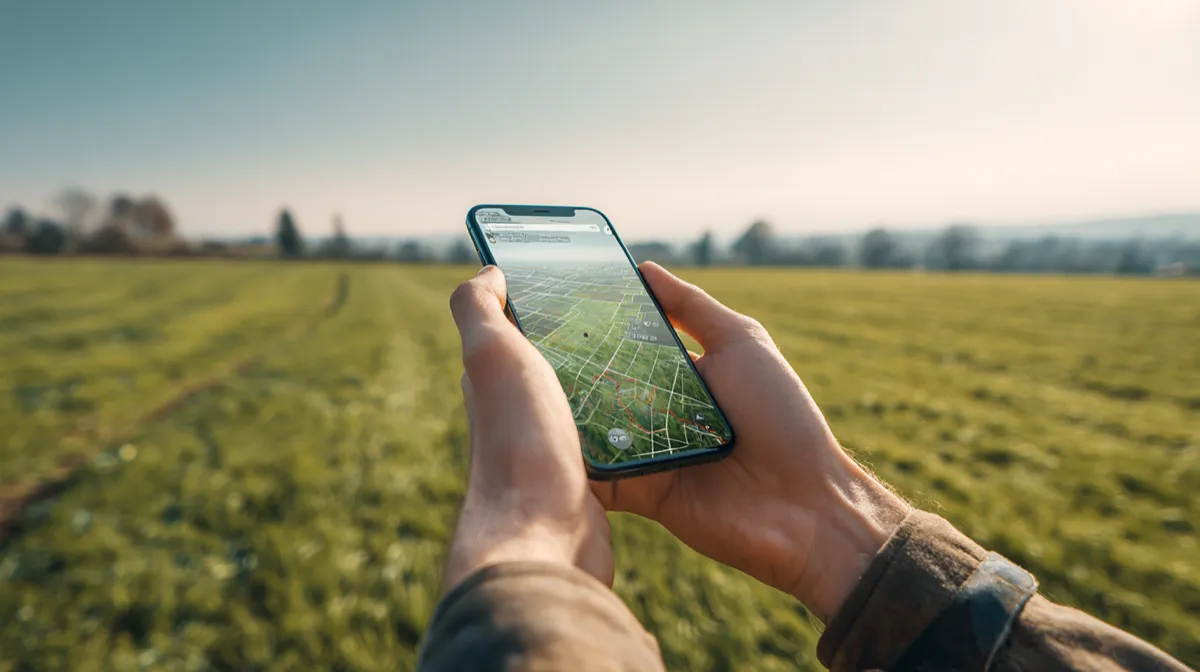
Whether you are a farmer calculating acreage for input costs, a real estate professional verifying lot sizes, or a landscaper quoting a job, you need an app that turns your phone's GPS into a reliable measuring tool. The market has dozens of options, and they are not all equal. Some excel at export flexibility, others at raw simplicity, and a few try to do everything but execute poorly.
This guide breaks down the best GPS land measurement apps available in 2026, with honest assessments of what each one does well and where it falls short. We tested these apps on real properties, compared features side by side, and focused on the things that actually matter when you are standing in a field or walking a property line.
What to Look for in a GPS Land Measurement App
Before diving into individual apps, it helps to know what separates a good field measurement app from a mediocre one. These are the criteria we evaluated.
Accuracy
Every GPS land measurement app is ultimately limited by the GPS accuracy on phones, which typically ranges from 1 to 5 meters in open sky conditions. But apps differ in how they handle that raw GPS data. Better apps let you refine pin placement on satellite imagery, show real-time accuracy indicators, and offer both GPS tracking and manual point placement so you can choose the best method for each situation. An app that only offers one method of placing points is leaving accuracy on the table.
Export Formats
Measuring land is only half the job. The other half is getting that data where it needs to go. A farmer might need a Shapefile for their precision agriculture platform. A real estate agent needs a PDF to attach to a listing. A GIS professional needs GeoJSON or KML. The more export formats an app supports, the more useful it is in professional workflows. Apps that lock you into screenshots or proprietary formats create dead ends.
Offline Support
Rural properties, remote farmland, and backcountry parcels often have poor or no cellular signal. A land measurement app that requires an internet connection to function is useless in exactly the situations where you need it most. Offline GPS tracking, offline map caching, and the ability to save and export without connectivity are essential for real field use.
Unit Variety
Different industries and regions use different land measurement units. A North American farmer thinks in acres. A European agronomist uses hectares. A landscaper needs square feet or square yards. A surveyor might need square meters or square chains. An app with a handful of units forces you to do conversions manually, which is both tedious and error-prone. The best apps support a wide range of area and distance units and let you switch between them instantly.
Ease of Use
You should not need a training manual to measure a field. The app should make it obvious how to start a measurement, place points, finish a boundary, and view results. Complex features like folder organization, import, and export should be accessible but not cluttering up the main measurement interface. A clean UI matters more than people think, especially when you are using the app in bright sunlight with dirty hands.
Pricing
Land measurement apps range from fully free (ad-supported) to subscription-based to one-time purchase. There is no single right answer here, but transparency matters. The worst experience is downloading a "free" app only to discover that basic features like export or saving more than three measurements are locked behind a paywall with no warning. We evaluated both the free tier's usefulness and the value of any paid upgrade.
The Top GPS Land Measurement Apps in 2026
We evaluated over a dozen apps across both iOS and Android. These five stood out as the most capable and widely used options, each with a distinct approach and set of trade-offs.
Watch GPS land measurement apps in action
LandLens (iOS and Android)
LandLens is a GPS land survey app for iPhone and iPad that combines satellite imagery-based pin placement with live GPS tracking, a deep set of export options, and a well-organized interface for managing large numbers of measurements.
Measurement modes. LandLens offers three measurement types: area (polygon), distance (multi-segment line), and point marker. For area measurement, you can either walk a perimeter with GPS tracking or drop pins manually on the satellite map. The manual pin approach is particularly useful near buildings, tree lines, or other features where GPS accuracy degrades. You can also combine both methods, using GPS tracking for open sections and manual pin placement for tricky spots, within the same measurement.
Export and data flexibility. This is where the app separates itself from most competitors. It exports in KML, KMZ, Shapefile, GeoJSON, and PDF. It also imports KML, GPX and GeoJSON files, so you can bring in data from Google Earth, Garmin devices, or other apps. For professionals who need to deliver data in specific formats or integrate with GIS software, this range is difficult to match in a mobile app.
Organization. The app uses a folder system with color coding, which becomes important once you have dozens or hundreds of saved measurements. A farmer can organize fields by farm or season. A real estate professional can group measurements by client or neighborhood. Most competing apps treat saved measurements as a flat list, which becomes unmanageable at scale.
Units. Over 20 area and distance units are available, covering acres, hectares, square feet, square meters, square yards, square kilometers, square miles, and regional units. Switching between units is instant and non-destructive.
Offline capability. GPS tracking works without a data connection. Saved measurements are available offline. Map tiles can be cached for offline viewing of satellite imagery in areas you have previously browsed.
Pricing. The app is free to download with core measurement features available at no cost. The free plan includes GPS measurement, 3 saved measurements and 2 exports; a Pro upgrade unlocks unlimited saves, every export format, file import and unlimited folder organization. There is no ad-supported tier: the free version is clean and fully functional for basic measurement needs.
Limitations. The free plan caps saved measurements and exports, so regular users will need Pro. Like every phone-based app, accuracy depends on your phone's GPS (typically 3-5 meters), which is fine for planning and estimates but not a substitute for a licensed boundary survey. LandLens is available on both iPhone/iPad (iOS 15 or later) and Android.
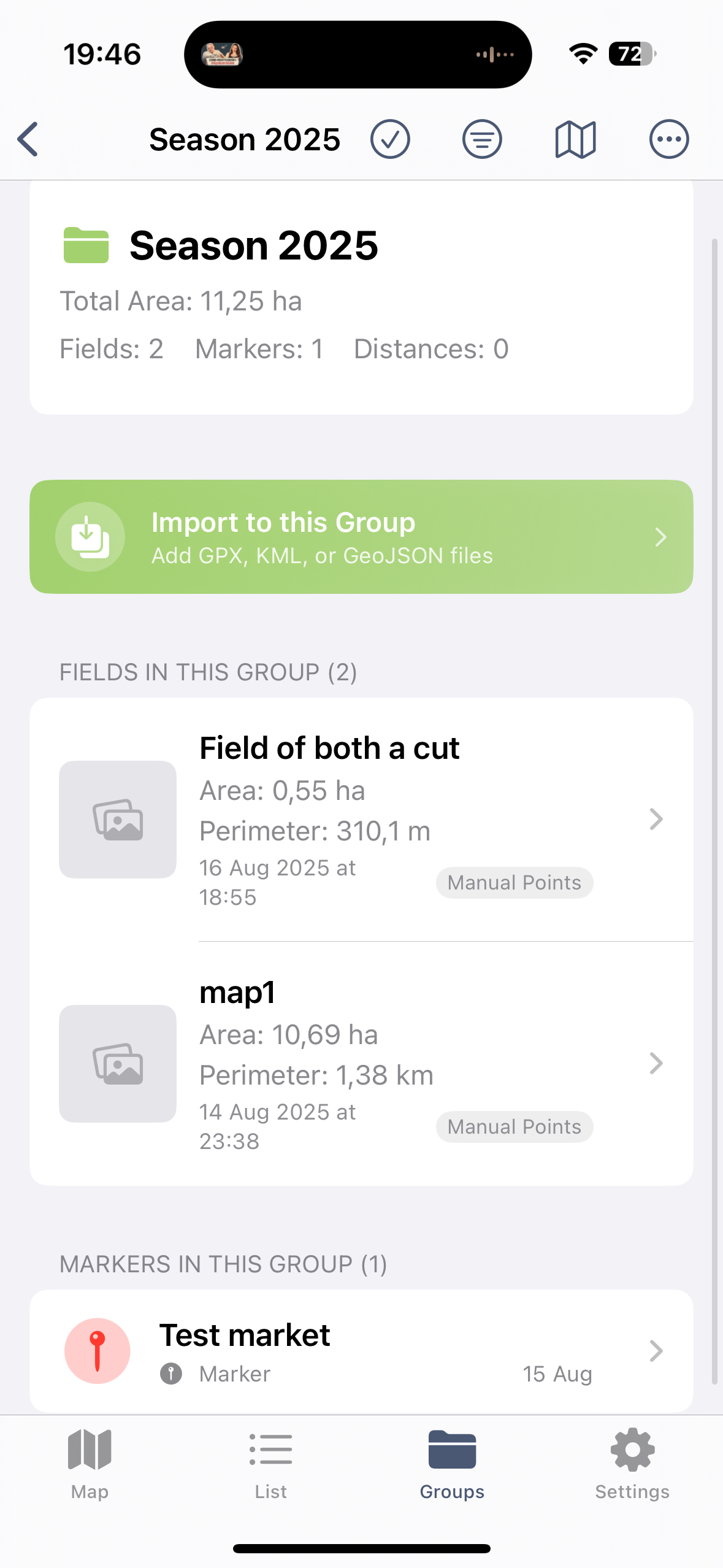
LandLens measurement interface
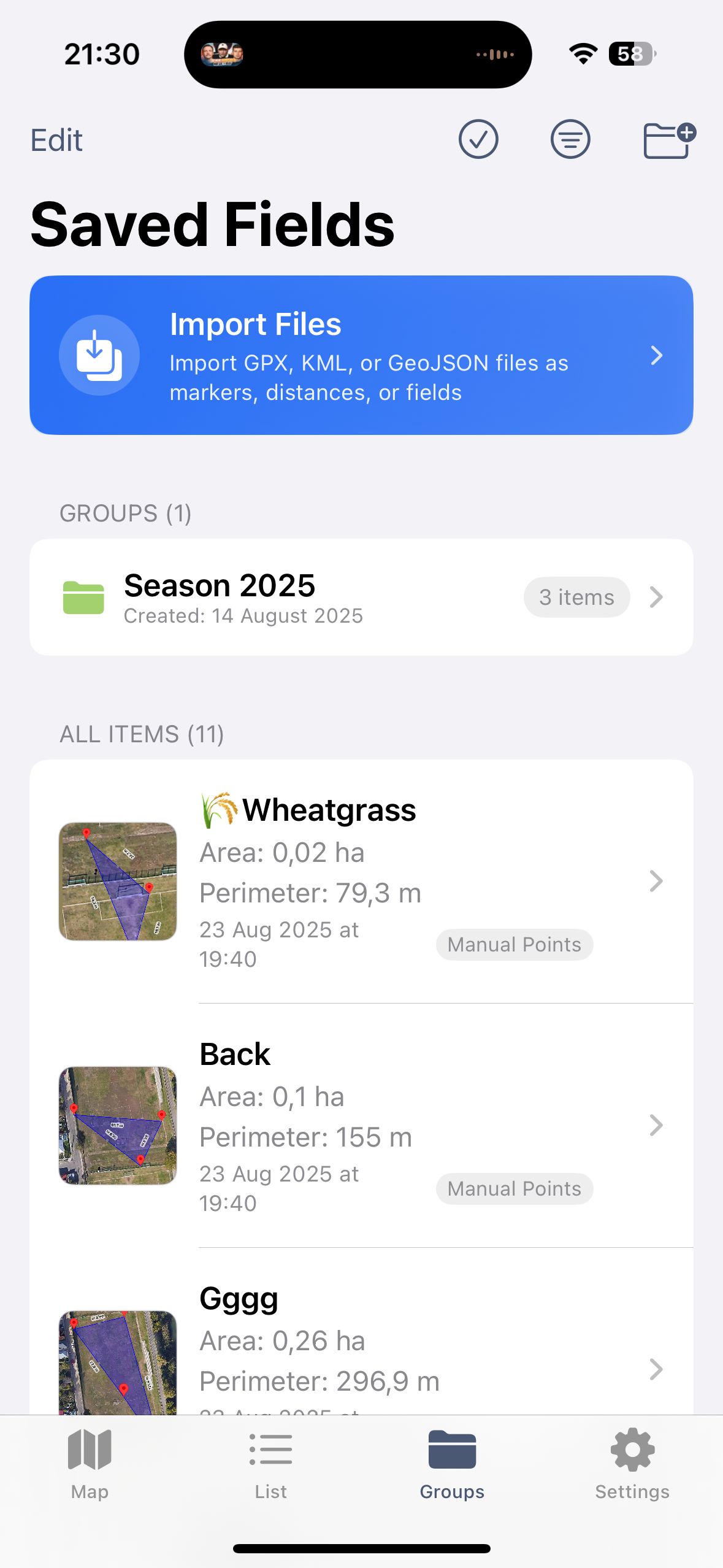
Multiple export format options
GLand (iOS and Android)
GLand is one of the more established GPS land measurement apps, with over 7 million downloads across both platforms. It has been on the market for several years and has built a solid user base, particularly among farmers and rural landowners.
Measurement capabilities. GLand handles area and distance measurements well. You can place pins on the map or use GPS tracking to walk a perimeter. The measurement engine is reliable, and results are consistent with what you would expect given consumer GPS accuracy. It supports a reasonable set of area and distance units, though not as extensive as some alternatives.
Cross-platform availability. Being available on both iOS and Android is a significant advantage. Teams where some members use iPhones and others use Android devices can standardize on a single app. This is a practical benefit that outweighs many feature comparisons for mixed-platform teams.
Export options. According to its App Store listing, GLand exports PDF, Excel, KML and GeoJSON and shares map images. It does not list Shapefile export. For casual use this is fine, but professionals who need to deliver data in specific GIS formats will find this limiting. If your workflow ends at Google Earth, GLand covers you. If it extends to QGIS, ArcGIS, or web mapping platforms, you will need to convert files manually.
Organization. Saved measurements are presented in a list format. There is no folder or grouping system for organizing measurements by project or client. For users with a handful of saved measurements, this is not an issue. For users managing dozens or hundreds of parcels, it becomes harder to find what you need quickly.
UI and experience. The interface is functional but shows its age in places. Navigation is straightforward for basic tasks, but some features require more taps than necessary. The map interaction is smooth on modern devices, and satellite imagery loads reliably.
Pricing. GLand uses a freemium model with ads in the free version and a paid upgrade to remove ads and unlock additional features. The free tier is usable for basic measurement, and the ad presence is moderate rather than aggressive.
GPS Fields Area Measure (iOS and Android)
GPS Fields Area Measure is one of the most downloaded land measurement apps on the Google Play Store. It is also available on iPhone, where it has over 12,700 US App Store ratings (4.6★) and requires iOS 17.1 or later.
Measurement capabilities. The app covers area and distance measurement with GPS tracking and manual pin placement. It calculates area, perimeter, and segment distances. The measurement engine works reliably, and the app makes it easy to start a quick measurement without much setup.
Offline and field data. Its listing highlights fully offline measurement, notes and photos on points, grouped projects, custom map layers (drone imagery, raster maps, WMS) and elevation profiles. The map interface uses Google Maps, so the satellite imagery and navigation are what most users expect.
Export and pricing. It exports KML, KMZ and Shapefile. Full use requires a Premium subscription, which also adds cloud storage; in our read of 84 critical App Store reviews, pricing and billing was the most common complaint (see our GPS Fields Area Measure alternatives analysis).
Ad experience. The free tier is ad-supported, and the ads are more prominent than in some competing apps. Interstitial ads appear at transition points, which can interrupt workflow during field use. The paid upgrade removes ads and is reasonably priced.
Units and settings. A standard set of area and distance units is available, covering the most common needs. The settings are straightforward without being overly customizable. For most users, the defaults work well.
Pricing. Free with ads, paid upgrade available to remove ads and unlock some features. The free tier is functional enough for occasional measurement, and the paid version is a reasonable value for regular use.
Geo Measure (iOS and Android)
Geo Measure takes a minimalist approach to land measurement. It aims to be the app you open when you need a quick area or distance measurement without any complexity.
Simplicity as a feature. The app is designed around a single workflow: open, place points, see the result. There is very little configuration, very few menus, and almost no learning curve. For someone who measures land once a month and does not want to learn a complex interface, this simplicity is genuinely valuable. You can hand the phone to someone unfamiliar with the app and they will figure it out within a minute.
Measurement accuracy. The core measurement engine is solid. Area and distance calculations are consistent and accurate within the expected range of consumer GPS. The app does not try to do anything fancy with the GPS data, which means it also does not introduce additional error. Simple and reliable.
What it lacks. Geo Measure trades features for simplicity. There is no folder organization, no multi-format export, no import capability, and no cloud sync. Saved measurements exist as a flat list on the device. Sharing is limited to screenshots and basic formats. If you need to deliver a Shapefile to a GIS team or organize 50 fields into labeled groups, this is not the app for that job.
Cross-platform. Available on both iOS and Android with a similar experience on each. The interface translates well across platforms, maintaining its clean, minimal character on both.
Pricing. Free with limited features, paid upgrade available. The free tier handles basic measurement, and the upgrade unlocks additional capabilities like more unit options.
Map Area Calculator (Android)
Map Area Calculator is a popular Android choice that focuses specifically on area calculation from map-based point placement. It has a strong following among users who prefer a straightforward, map-centric approach to measurement.
Map-centric workflow. The app centers the experience around the satellite map view. You tap points on the map to define a boundary, and the app calculates area and perimeter in real time as you add points. The visual feedback is immediate and intuitive. For users who prefer placing pins on imagery rather than walking a perimeter with GPS tracking, this workflow is fast and efficient.
Satellite imagery. The app uses Google Maps satellite imagery, which provides high-resolution views in most populated and agricultural areas. You can zoom in to identify fence lines, tree rows, roads, and other boundary features and place pins precisely on them. This satellite-based approach can sometimes be more accurate than GPS tracking, particularly for smaller areas or areas near structures.
Limitations. Like several apps in this category, Map Area Calculator has a limited export pipeline. Sharing measurements outside the app typically means screenshots or basic data sharing. There is no Shapefile, GeoJSON, or KML export for professional GIS workflows. There is no folder system for organizing large numbers of measurements. Cloud sync is not available, so measurements exist only on the device where they were created.
Units. A standard set of area units is supported, including acres, hectares, square feet, and square meters. It covers the most common needs without getting into specialized or regional units.
Pricing. Free with ads, paid version available to remove ads. The free version is fully functional for measurement, with ads being the primary trade-off.
Feature Comparison Table
| Feature | LandLens | GLand | GPS Fields Area Measure | Geo Measure | Map Area Calculator |
|---|---|---|---|---|---|
| Platforms | iOS, Android | iOS, Android | iOS, Android | iOS, Android | Android |
| Price | Free plan + Pro | Free + paid upgrade | Free + Premium subscription | Free + paid upgrade | Free (ads) + paid |
| Export Formats | KML, KMZ, Shapefile, GeoJSON, PDF | PDF, Excel, KML, GeoJSON | KML, KMZ, Shapefile | Screenshot, basic share | Screenshot, basic share |
| Offline Support | Yes (GPS + cached maps) | Partial | Yes (fully offline) | Limited | Limited |
| Unit Count | 20+ | 10+ | 8+ | 6+ | 6+ |
| Folder Organization | Yes (color-coded) | Multiple projects | Groups | No | No |
| Import Capability | KML, GPX, GeoJSON (Pro) | Limited | No | No | No |
| Cloud Storage | Yes (backup) | No | Yes (Premium) | No | No |
Which App Is Best for Your Use Case
The best GPS land measurement app depends on what you actually do with the measurements. Different professions have different priorities, and an app that excels for one use case may be mediocre for another.
Farming and Agriculture
Farmers need to measure fields repeatedly across seasons, organize measurements by farm or field name, and often deliver acreage data to crop insurance agents, USDA offices, or precision agriculture platforms. The key requirements are reliable GPS tracking for walking large perimeters, folder organization for managing many fields, and export in formats that integrate with agricultural software (Shapefile and KML are the most commonly requested).
For farmers on iPhone or Android, LandLens is the strongest fit because of its folder organization, Shapefile export, and support for 20+ units including acres and hectares. GPS Fields Area Measure is also a capable choice, with Shapefile export and fully offline use, if its Premium pricing works for you. GLand is a solid middle ground if you can work with KML or GeoJSON export.
Real Estate
Real estate professionals typically need to verify lot sizes, compare parcel dimensions, and share measurement results with clients, appraisers, or title companies. The most important features are quick measurement on satellite imagery, a clean PDF or visual export for client communication, and the ability to save and revisit measurements across multiple properties.
On iPhone and Android, LandLens fits this workflow well with its PDF report export, satellite imagery pin placement, and folder organization by client or property. Geo Measure is a decent lightweight alternative if you only need quick one-off measurements without archiving. GLand is another option that offers the best combination of measurement quality and basic sharing capability.
Landscaping
Landscapers measure yards, garden beds, lawns, and outdoor spaces to estimate materials (sod, mulch, gravel, pavers) and quote jobs. Measurements are often small-to-medium areas where satellite imagery pin placement may be more practical than GPS tracking. Key needs are square footage calculation, easy switching between area and distance modes, and a way to share measurements with clients.
For landscapers, the same unit flexibility that benefits farmers applies here: square feet, square yards, and square meters are all available with instant switching, and the ability to measure both areas and distances in the same session is a natural fit. Geo Measure is a good quick-measurement option for landscapers who want minimal complexity. Map Area Calculator on Android handles the satellite-based measurement workflow that landscapers often prefer for residential properties.
Construction and Site Planning
Construction professionals use GPS measurement apps for preliminary site assessment, not final construction layout (which requires survey-grade equipment). The value is in getting working numbers for feasibility studies, rough grading estimates, and material quantity approximations before committing to a professional survey. Export to GIS formats is important because site data often needs to flow into CAD or project management systems.
LandLens stands out for its GeoJSON and Shapefile export, which integrate with the GIS and CAD tools common in construction workflows. The import capability also matters: you can bring in KML files from Google Earth planning sessions and refine measurements in the field. GPS Fields Area Measure also exports Shapefile and KMZ if you already use it.
The Bottom Line
The GPS land measurement app market in 2026 offers real variety, from minimal single-purpose tools to full-featured survey companions. No single app is perfect for every user, and the right choice depends on your platform, your profession, and how you need to use the data after measuring.
For iPhone and Android users who need professional-grade features, LandLens offers the most complete package: multi-format export, folder organization, import capability, extensive unit support, and a polished interface, with a free plan to start.
GPS Fields Area Measure is a strong general-purpose option if you need fully offline use and custom map layers and are happy to subscribe, and GLand offers a large set of extra field utilities.
For users who want maximum simplicity and do not need export or organization features, Geo Measure does one thing and does it cleanly on both platforms.
Whichever app you choose, remember that the measurement is only as good as the conditions and technique behind it. Use open-sky environments when possible, let the GPS settle before placing critical points, combine GPS tracking with manual pin refinement on satellite imagery, and verify important measurements by repeating them. The app is the tool; your technique determines the result.
Related tools & guides
Try LandLens free
Measure any land area, distance, or perimeter with your iPhone, iPad or Android phone. No equipment needed.
Share Your Feedback
Help us build a better LandLens. Request features, report bugs, or tell us what you think.